
Services
Every integration writes to your CRM. Know what it writes.
HubSpot connected to billing, ERP, support and enrichment tools, with clear ownership of every shared field.
Integrations
The broken integration is usually the one throwing no errors.
Integrations rarely fail loudly. A chat tool stamps itself as the lead source. A form that redirects to a meeting link drops its UTM parameters on the way. A sync quietly overwrites a field another team relies on.
Nothing throws an error and the fields stay filled in, so nobody notices the reports are wrong.
Signs you need this
Where a bad sync shows up
A tool as your lead source
Systems that disagree
The side spreadsheet
All three usually trace back to an integration nobody owns.
How we approach it
Evaluate, assign, then monitor
We test integrations the way your data actually moves, end to end.
Evaluate
What's connected, and what does it write?
Assign
Who owns each field?
Monitor
What catches the next break?
Why it matters for AI
Agents can't tell a synced value from a correct one.
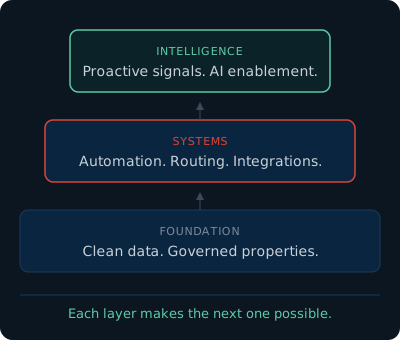
Agents read whatever your integrations put in the CRM. If a sync overwrites a correct value with a wrong one, the agent repeats the wrong one with full confidence.
What's included
What we build and leave in place
Integration inventory
Every active and forgotten connection, with what it creates, updates and overwrites.
Field ownership map
Documented field mapping, one owner per shared field, and conflict resolution rules.
Monitoring and testing
Sync error alerts and test-before-deploy for every new connection.
How we think about this
HubSpot integrations
When a tool syncs data into HubSpot, do you know exactly what it creates, updates or overwrites? How we think about connecting your stack.
How to Work With Us
Two ways to engage. Same capabilities. Same team.
Both models give you access to the full range of services above. The difference is how we scope, schedule, and price the work.
Managed Services
Your ongoing operations partner. A dedicated team, proactive audits, and regular strategy calls. Scope evolves with the business.
Best for: Teams that need the role, not just the project.
See plansPre-Paid Hours
On-demand access to the Fission team. Purchase a block of hours, submit work as needed, and get results with transparent pricing.
Best for: Teams with project-based needs or defined scope.
See pricingFAQ
Common questions about HubSpot integrations
Most of the tools a revenue team runs on, including billing, ERP, contracting, support and enrichment. We'll tell you on the first call whether a native integration fits or the connection needs more than that.
Usually because an integration is allowed to write to it. Chat tools, intake forms and syncs can each overwrite source without throwing an error. We protect original source so nothing can overwrite it, give each integration its own field, and reconcile in reporting.
Only where they touch HubSpot. If the work involves how data moves into or out of HubSpot, it's ours. If it doesn't touch HubSpot, someone else is the right fit.